AnteRedact · Redact Folders

Fully automatic redaction of file and shared drives

Pick the folders that need redacting. Redact Folders keeps watch over them and writes a redacted copy of every document into the same folder structure – automatically, in the background, by the million.

  • 30-minute setup
  • Priced per document – not per user
  • Encrypted before upload
  • 1:1folder structure preserved in the copy
  • 30 minfrom download to the first redacted folder
  • 11file formats redacted – everything else copied as is
  • 0documents stored in plain text outside your drive
Why

A deletion deadline doesn’t have to mean deletion

The GDPR treats anonymisation as equivalent to deletion. Remove the personal data and the document can stay – with all its professional knowledge intact.

Redact Folders turns that into an automatic routine instead of a clean-up project: folders are redacted continuously, and you keep what has value.

  • Keep documents past the deadline

    Minutes, contracts, drawings and case files keep their value – without personal data.

  • Share without access restrictions

    Redacted copies can be shared widely across the organisation where the original had to be locked down.

  • Less damage from a breach

    If someone gets into the drive, there is no personal data to leak.

GDPR art. 4: anonymised information is not personal data.

How it works

Install, pick folders, lean back

Redact Folders is a small program for a PC or Windows Server with access to the drive. All it needs to know is which folders to watch.

  1. 1

    Install the program

    Download Redact Folders and sign in with your AnteRedact account. No server setup, no IT project.

  2. 2

    Pick folders

    Point to a source folder and a target folder. Choose whether files in unsupported formats should be copied along 1:1.

  3. 3

    Redaction runs

    The program works through the folder and then keeps watching it. New and changed files are redacted continuously.

  4. 4

    Finished copy, same structure

    The target folder mirrors the source – subfolder by subfolder – with redacted documents.

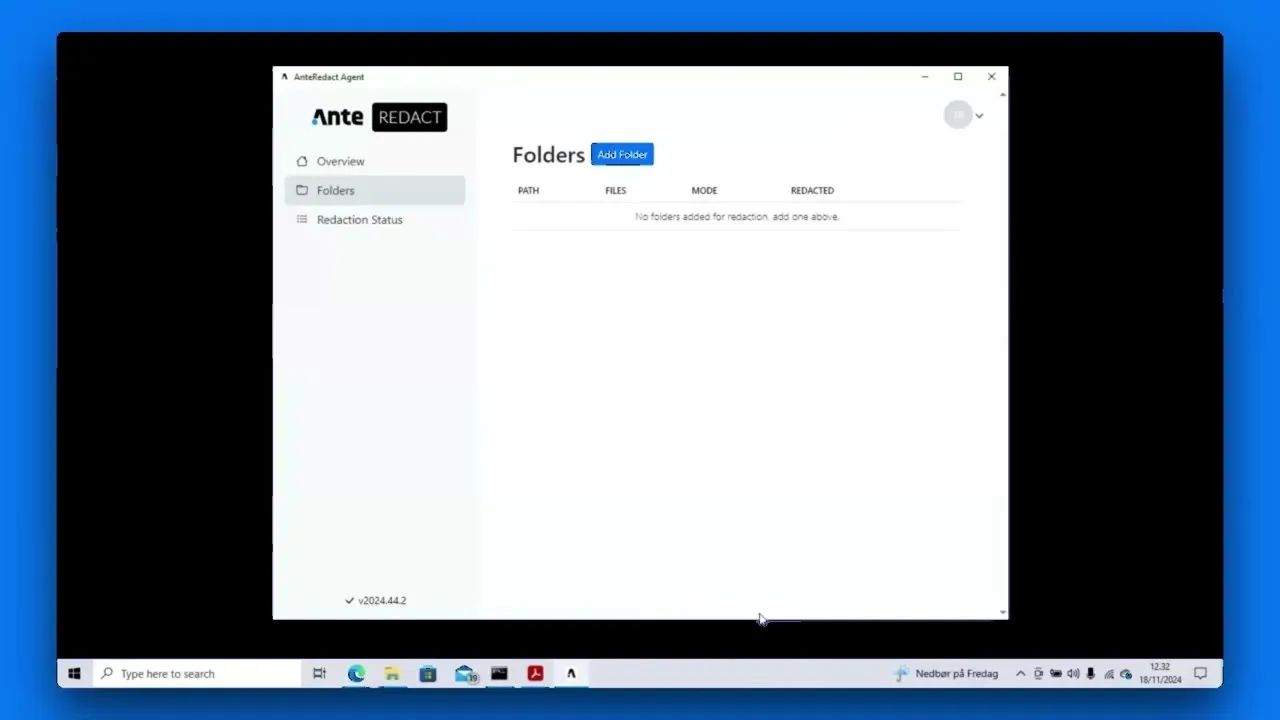
Setup in the program: one dialog per folder.

Exact copy

Same folder. Same files. No personal data.

The target folder is a faithful copy of the original. Documents with text are redacted – Word in its original format, the rest as PDF. Industry files such as drawings and layouts are copied unchanged, so nothing is missing when the original folder is deleted or locked.

  • PDF, Word, Excel, PowerPoint, Outlook e-mails and images are redacted
  • Word documents are redacted in their original format – DOCX in, DOCX out
  • DWG, InDesign, ZIP and everything else is copied 1:1 when you choose “all documents”
  • Original file names are kept; the folder gets the suffix “_redacted”
  • Safely delete or lock the original folder once the copy is complete
Redacted
  • PDF
  • Word
  • Excel
  • PowerPoint
  • Outlook (.msg/.eml)
  • JPG · PNG
Copied unchanged
  • DWG
  • InDesign
  • Revit
  • ZIP
  • … everything else
Scale

Built for millions of documents – not one at a time

Redact Folders runs around the clock without anyone having to remember it. It works through existing archives and catches new files the moment they land.

  • Watches continuously

    The file system reports changes in real time. New and changed documents are redacted automatically.

  • Retries on its own

    Transient errors – network, locked files – are retried. Documents that cannot be redacted stay in the source.

  • Statistics per folder

    Total, queued, processing, completed, failed and unsupported – plus an overall percentage.

  • Runs where the archive is

    On a single PC or Windows Server with access to the drive. Nothing to install on staff machines.

Same AI engine

The same redaction as in Redact Assisted – just hands-free

Redact Folders runs on AnteRedact’s AI engine: 19 categories of personal data, one alias per person and irreversible removal of the text. Everything is configured in the web interface and applies to every folder immediately.

  • Categories on/off
  • Alias format, e.g. [P1]
  • Box and alias colours
  • Whitelists and custom patterns
  • Custom categories
  • OCR of scanned pages
  • Page-deletion workflows
  • Tailored models
See every feature in Redact Assisted

Redact Folders runs fully automatically, without review. Documents that need a human eye are handled in Redact Assisted.

Security

Encrypted from your drive – and all the way back

Every document is encrypted on your own machine with a one-time key before it is sent. It is only decrypted inside the isolated EU environment that redacts it, is never stored in plain text and is deleted on our side as soon as the result is delivered.

  • Client-side encryption

    Files are encrypted before upload with a one-time key per document. Nothing sits in plain text in storage, and the server copy is deleted as soon as the result is delivered.

  • Secure sign-in

    Sign in with your AnteRedact account with two-factor authentication. Sessions renew automatically and secrets are stored in the Windows credential store.

  • EU or on-premise

    Run against our EU cloud in Paris – or against an AnteRedact installation in your own data centre.

  • No third-party AI

    All models run in AnteRedact’s own infrastructure. No data is sent to OpenAI or anyone else.

  • Only with you

    The web interface cannot fetch the program’s documents. They exist only on your drive – before and after.

  • Updates itself

    The program fetches new versions on its own, so you always run the latest models and fixes.

Pricing

Priced per document – not per user

Redact Folders is priced by the number of documents you process. Fewer than 10,000 documents a month is the Standard tier. Everyone in the organisation can use the redacted copies without extra licences.

Get the price list14-day trial
Video

See Redact Folders in practice

FAQ

Frequently asked questions

Which file formats are redacted?

PDF, Word (.doc/.docx), Excel, PowerPoint, Outlook e-mails (.msg/.eml) and images (.jpg/.png). Word is redacted in its original format; the others are saved as redacted PDFs. If you choose “copy all documents”, every other file – e.g. DWG and InDesign – is copied unchanged so the target folder is complete.

What happens to documents that cannot be redacted?

By default they stay in the source folder and are not copied, so personal data never ends up in the redacted copy. The program shows them as “failed” in the statistics, and transient errors are retried automatically.

Do our documents have to go to the cloud?

Documents are encrypted on your own machine before they are sent and are never stored in plain text on our side. Redaction happens in an isolated EU environment, and the server copy is deleted as soon as the result is delivered back to your drive. If you do not want to use the cloud at all, Redact Folders can run against an on-premise AnteRedact installation.

Can we see and correct the redactions?

Redact Folders is built to run fully automatically – that is the point with millions of documents. Documents that need human review are handled in Redact Assisted, which uses the same AI engine and the same settings.

How do we configure what gets redacted?

In AnteRedact’s web interface. There you choose categories of personal data, alias format and colours, whitelists and custom patterns – and the settings apply to every watched folder immediately.

What does it cost?

Pricing is based on the number of documents you process – not the number of users. If you process fewer than 10,000 documents a month, you are in the Standard tier. Contact us for the indicative price list.

How is it implemented?

Redact Folders is a small program installed on a PC or Windows Server with access to the drive. You pick the folders to redact and the rest happens in the background. Implementation typically takes 15–30 minutes.

Redact Folders

See it on your own folders

Book a demo where we go through deletion deadlines, formats and setup with you – and redact one of your folders live.

  • No obligation
  • 14-day trial
  • Ready in 30 minutes
Or try the AI engine free at redactpdf.io
Loading verification…

We only use your information to respond to your enquiry.