Long documents: cancel and retry
Large and scanned documents take time, especially when their pages need OCR. Here is how to follow along, stop a document, and what you can do if a document fails.
Follow along
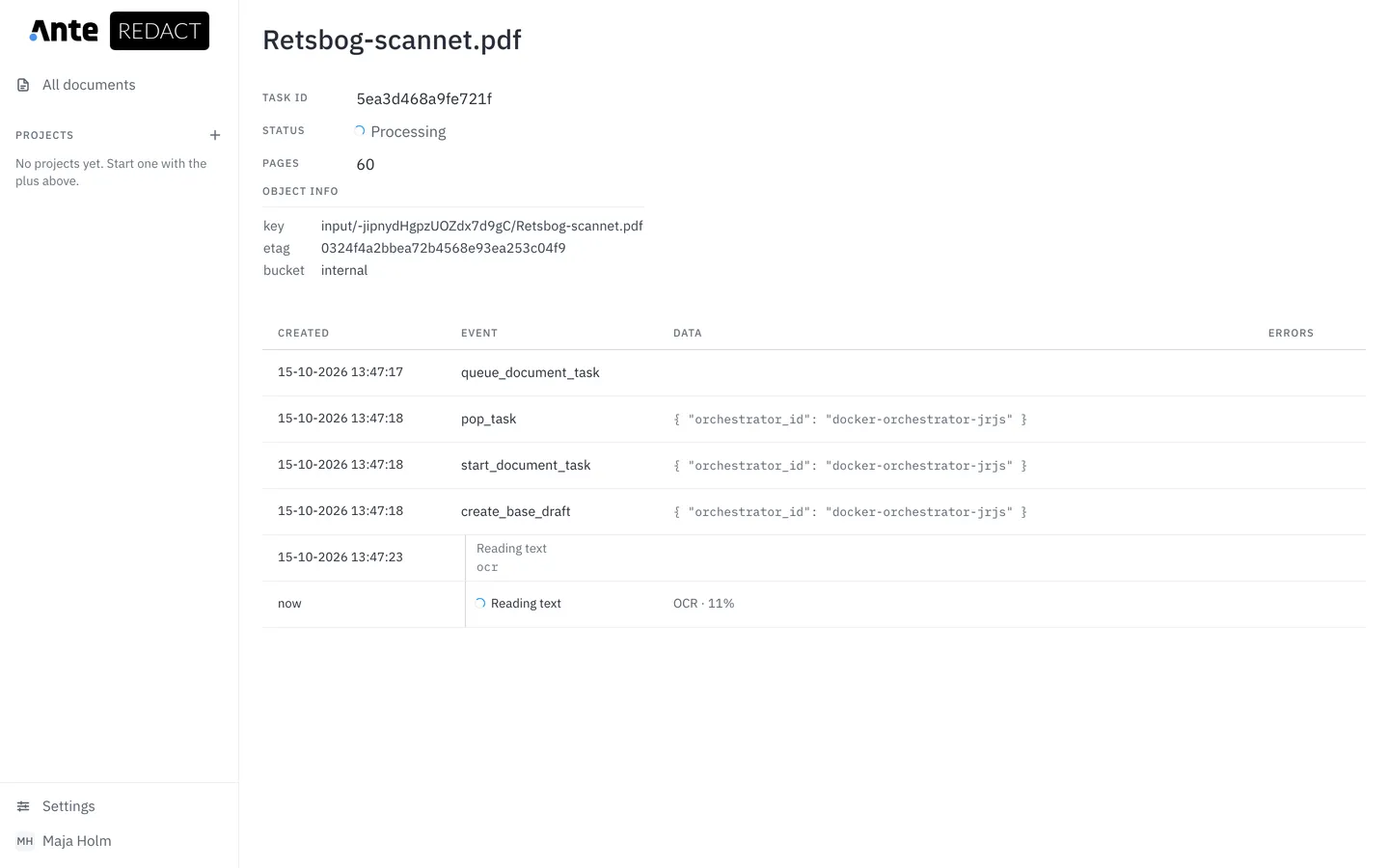
While a document is processing, the list shows which step it has reached, for example “Reading text”, and how far it has got, for example “OCR · 12%”.

See the event log
Click the status to open the document’s page. It shows the number of pages, the steps the document has been through and the step running right now.
Cancel processing
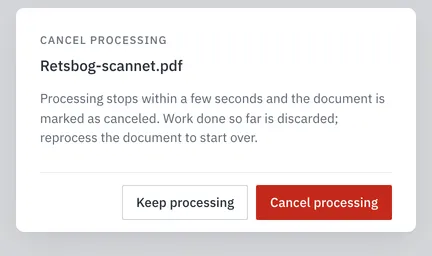
If you uploaded the wrong document, or it is taking too long, click the cancel icon at the far right of the row and confirm with Cancel processing.
Processing stops within a few seconds, and the work done so far is discarded.

A canceled document
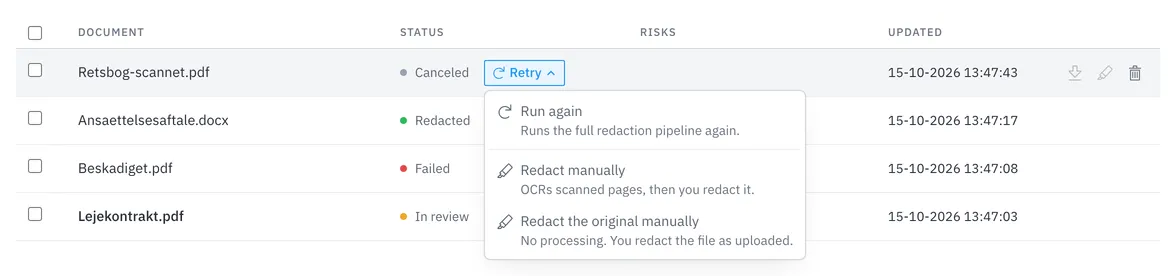
The row shows Canceling… until processing has stopped, and then Canceled. The document stays in the list so you can retry it later or delete it.

Retry
A canceled or failed document has a Retry button next to its status. The menu offers the options that fit the document:
- Run again runs the whole redaction from the start.
- Redact manually OCRs scanned pages but skips automatic detection. You redact the document yourself in the editor.
- Redact the original manually skips all processing. You redact the file exactly as it was uploaded.
- The two manual options only appear when the document failed while its suggestions were being made, which includes a canceled document. Word, RTF and text files have just one: Redact manually.
When a document cannot be retried
Some documents have no Retry: documents over the page limit, and documents that failed during the final redaction, after review. Write to us and we will help.
A document cannot be retried indefinitely. Once it has failed twice, Run again is turned off, and you can only redact it manually, if the menu offers that, or write to us. A cancel does not count as a failure.