New in AnteRedact: Projects for Case-Based Redaction
AnteRedact Projects keep a case in one place: its documents, the people working on them and the rules they are redacted by.
 Theis RasmussenCEO, LL.M.
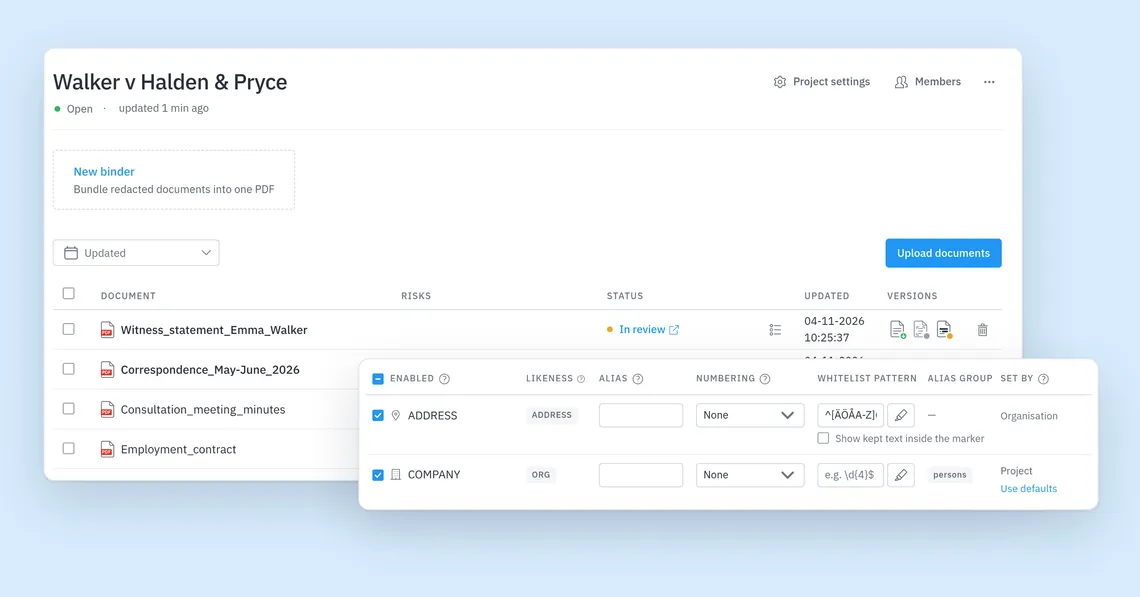
AnteRedact now has Projects. A project holds one case: its documents, the people working on it and the rules its documents are redacted by. Change a rule for one case without touching the others, and close the project when the case is done.
Every case in one list
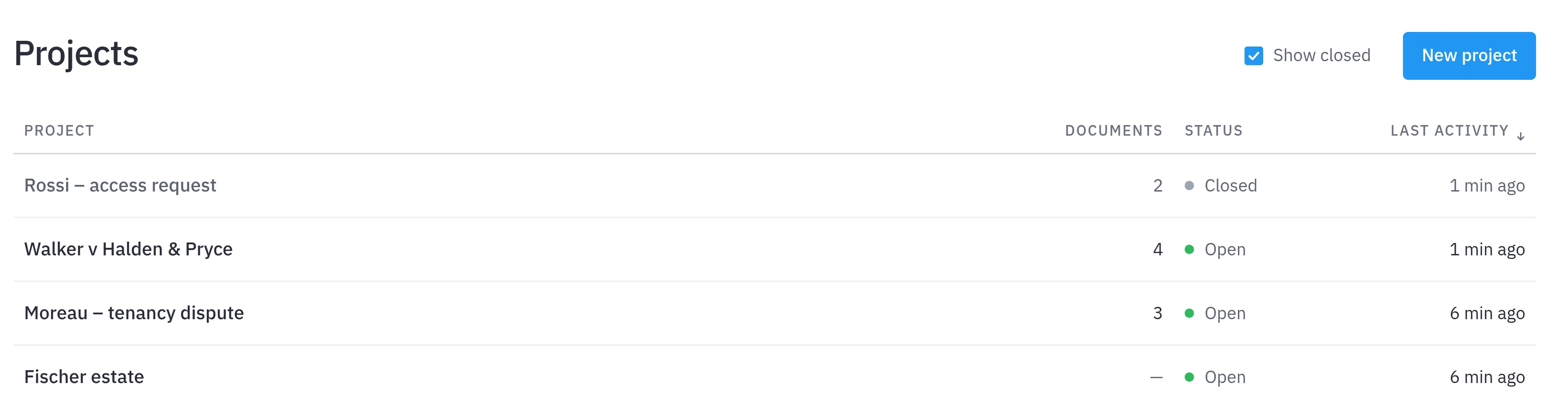
The Projects page lists every case with its documents, status and latest activity. Create one with New project and type the case name. Tick Show closed to see closed cases too.
One case, one document list
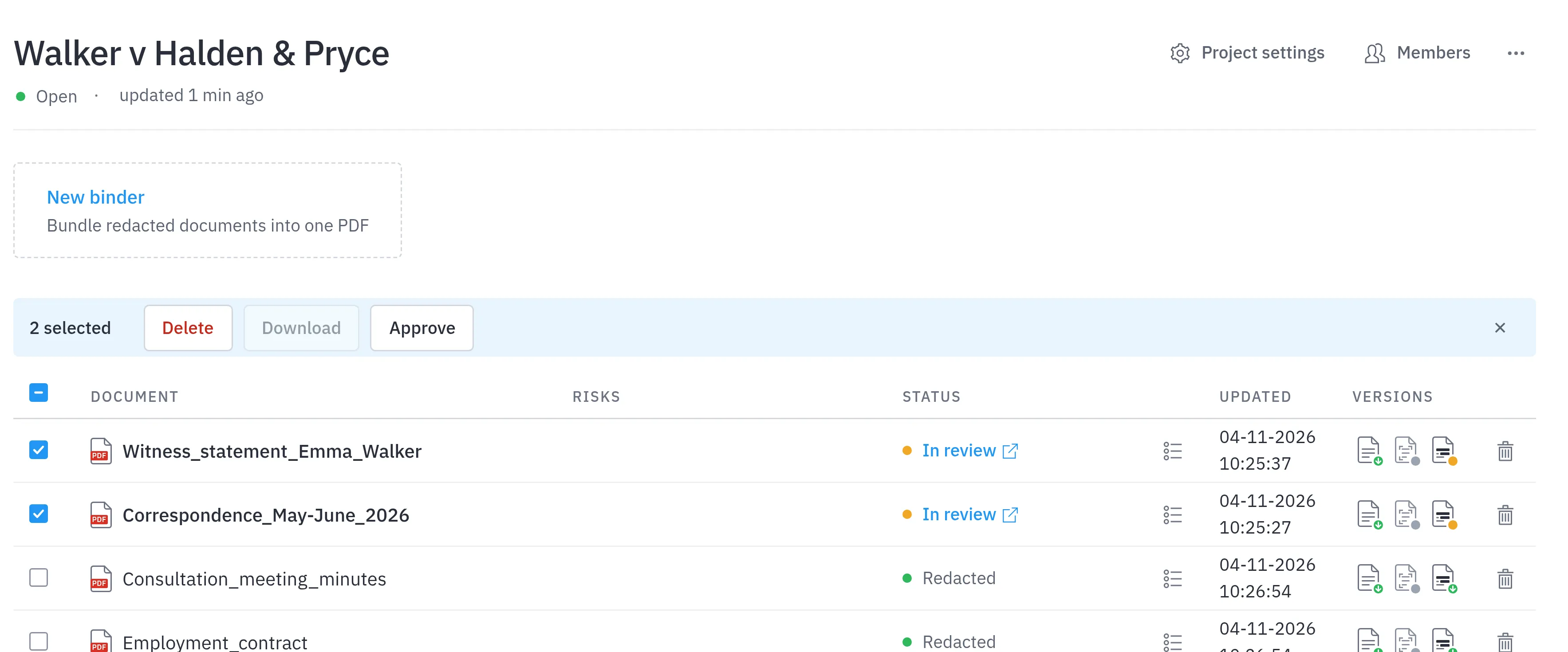
Upload documents on the project’s page, and they are redacted with the project’s settings. When they are reviewed, tick them and click Approve to approve them together. AnteRedact asks you to confirm, and approved documents can no longer be edited. Binder then bundles them into one PDF.
Rules for this case only
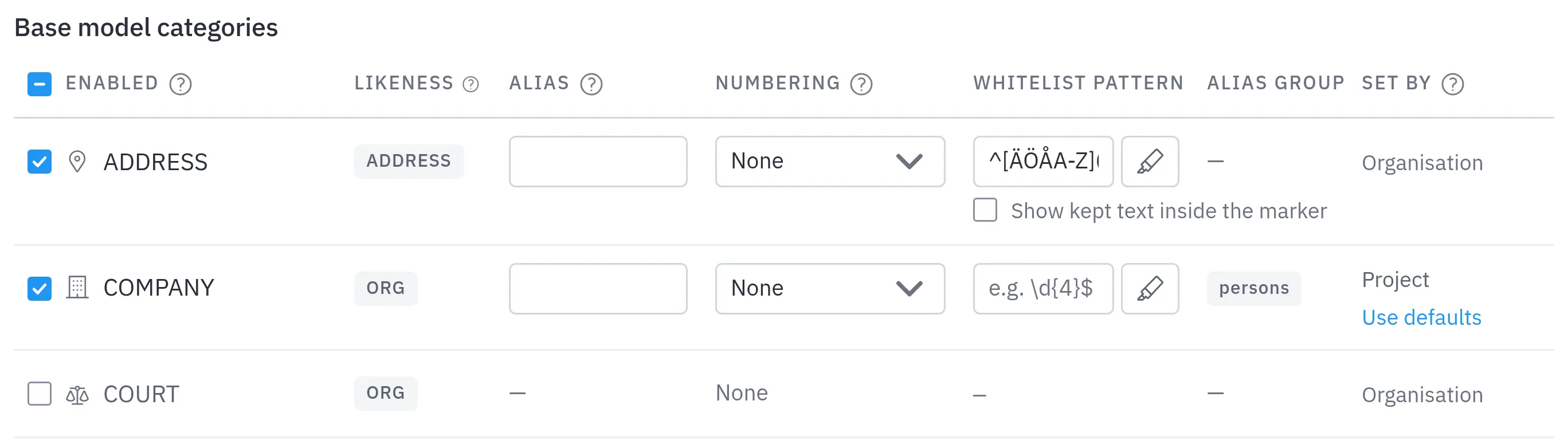
Project settings holds the categories, review thresholds and workflows for this case. Anything you don’t change follows your organisation’s defaults, also when they change later. Set by shows whether a setting comes from your organisation or the project, and Use defaults resets it. Here, company names are redacted in this case only.
Who works on the case
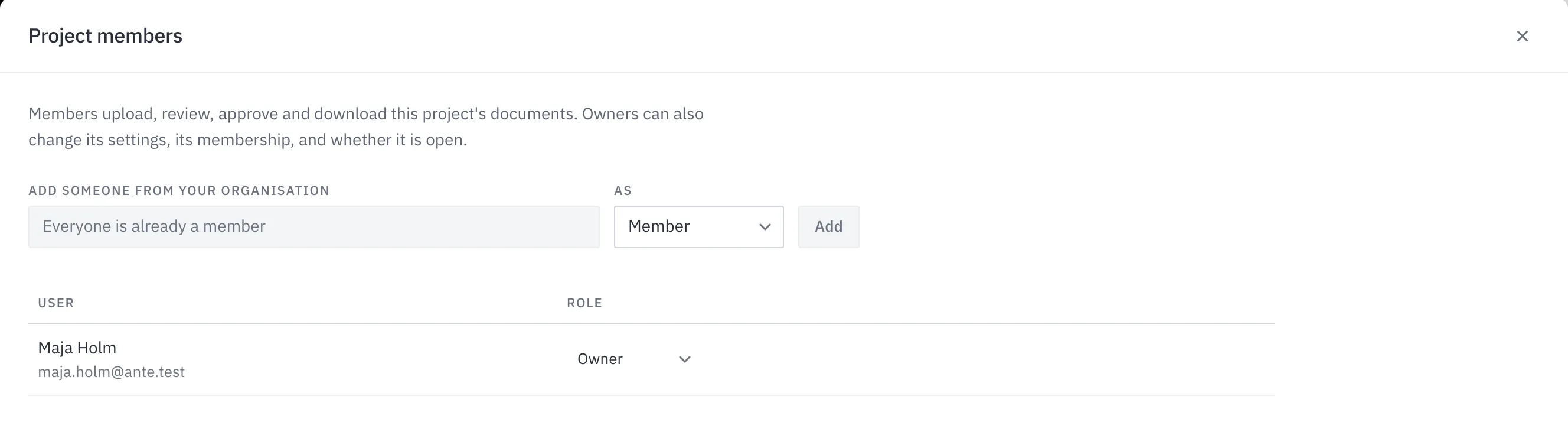
Under Members, add colleagues from your organisation as Member or Owner. Members work on the documents. Owners can also change the settings, the members and whether the project is open.
Close it when the case is done
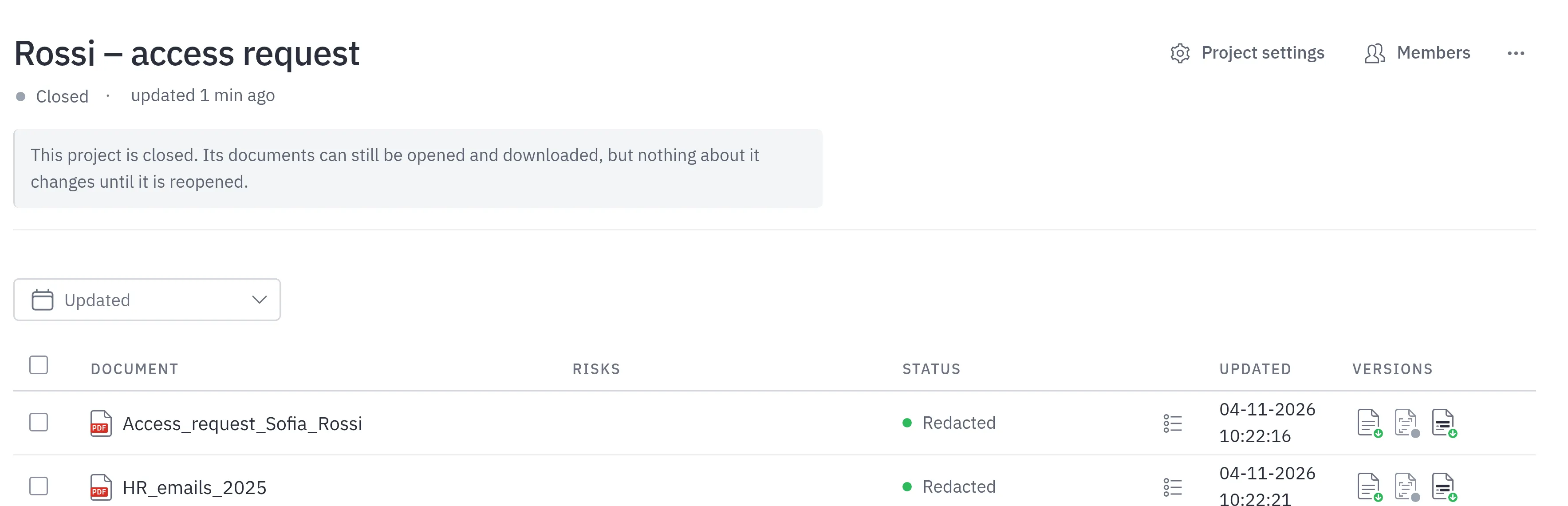
Close the project from the … menu. Its documents can still be opened and downloaded, but nothing changes until someone reopens it.
Try Projects
Projects are part of AnteRedact Redact Assisted, and each document opens in the redesigned redaction editor. Read the guide to Projects, or talk to us about a 14-day free trial.