From Intake to Exhibit Bundle: AnteRedact Now Follows the Whole Case
Projects, the redesigned editor and Binder now cover a case end to end in AnteRedact: upload, review once, approve, and assemble a court-ready PDF, without leaving the project.
 Theis RasmussenCEO, LL.M.
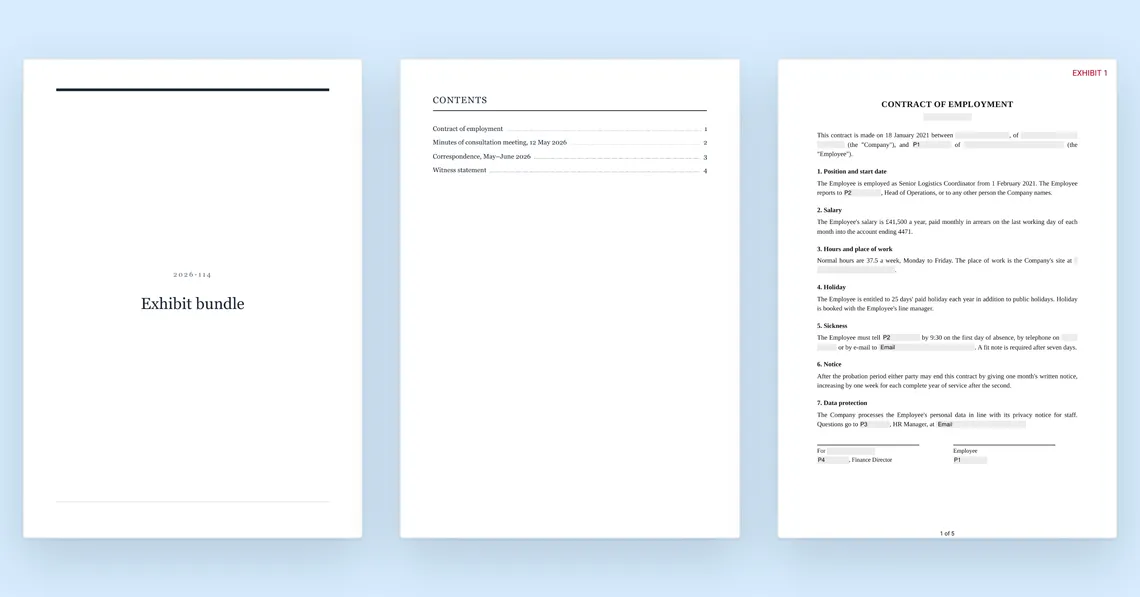
Before Projects and Binder, redacting a case in AnteRedact ended at the download button. Assembling the documents into one exhibit bundle, numbered and stamped in the order the court expects, happened somewhere else, by hand, and had to be redone every time a document changed. That hand-off is gone: a case can now stay in AnteRedact from the day it comes in to the day the bundle goes out.
A case, not a pile of files
Open a project the day a case lands, and every document uploaded to it is redacted under that case’s own rules from the start, not sorted into place afterwards. Nobody has to remember to turn on, say, company-name redaction for this one case only, or chase down which document was redacted under which settings. A project keeps that straight by itself.
Review once, in one editor
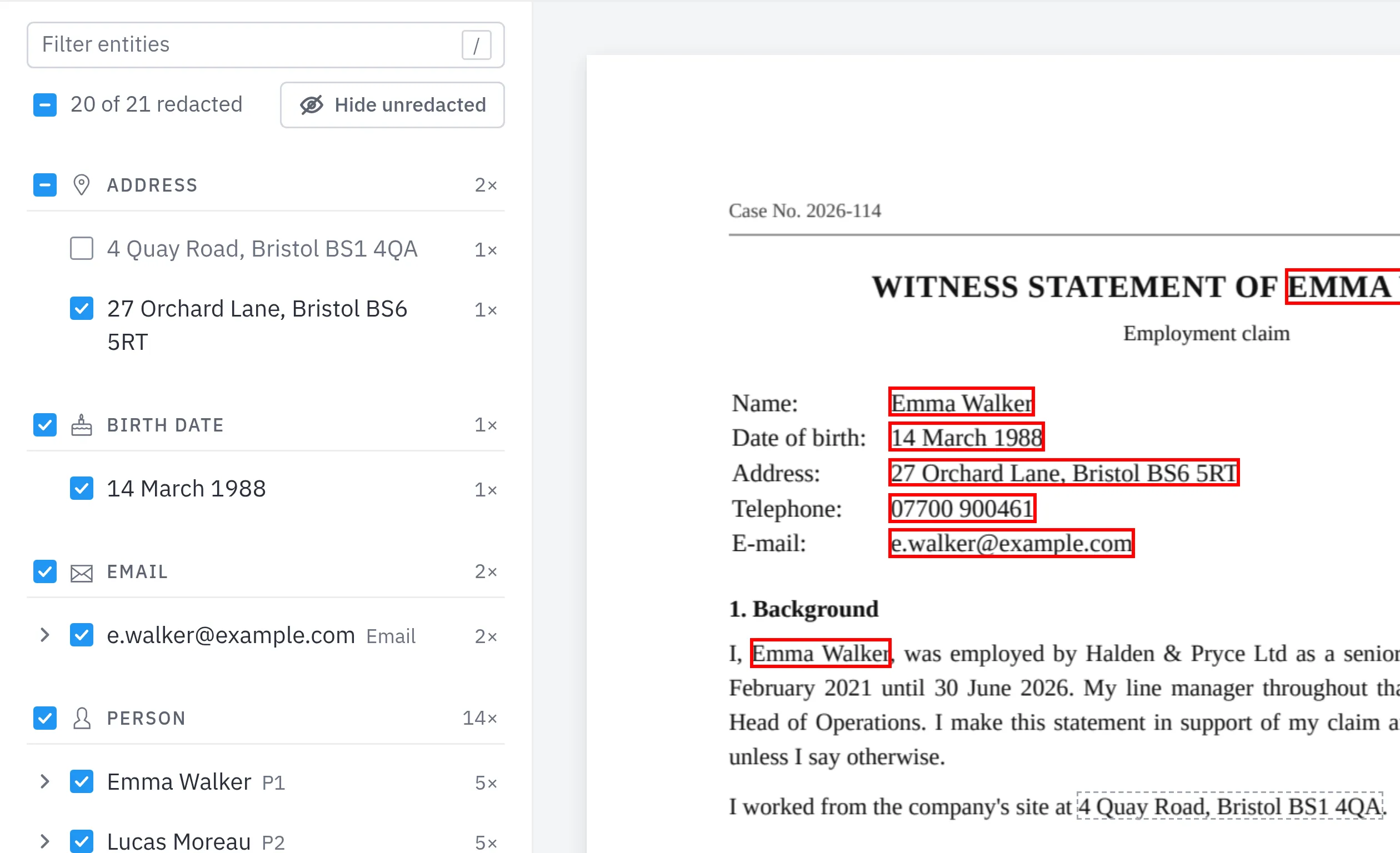
Every document in the project, however it arrived, opens in the same editor: one list of findings on the left, grouped by category, with a tick for each. For a case with forty documents that detail matters more than it sounds. The same witness showing up as “Emma Walker” in one letter and “E. Walker” in another used to mean redacting a person twice, once per spelling. Now it’s one entity, ticked once, renamed once if the alias needs to change.
From redacted documents to one PDF
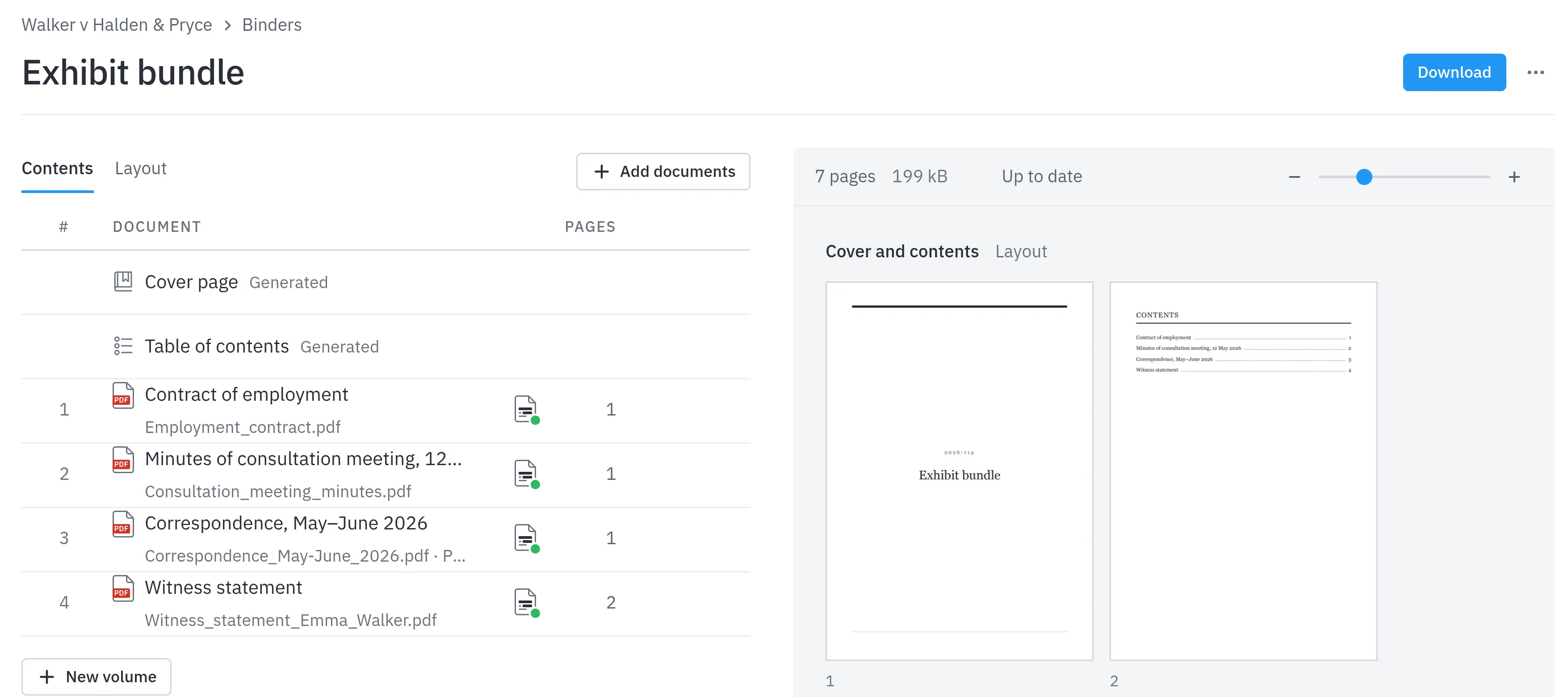
That’s where Binder picks up. Click New binder on the project page, and it already knows which documents are ready, approved and not still in review, and suggests all of them, ticked. Put them in order, give each one the title the table of contents should use rather than its file name, and download. Cover, table of contents, page numbers, an exhibit stamp and a bookmark for every document: one PDF, not a dozen separate files stapled together behind a cover email.
It doesn’t go stale
The part that used to break hardest: a document gets redacted again after a late correction, or someone reorders the bundle the day before a deadline, and the page numbers in the table of contents no longer match what’s inside. Binder tracks this itself now. Move something, and the panel flags Unsaved changes until the PDF catches up, and a document redacted again in the project is swapped into the bundle automatically, as long as it isn’t still under review.
Try it on your next case
Projects, the redaction editor and Binder are all part of AnteRedact Redact Assisted, free to try for 14 days. Read the guides for Projects, the editor and Binder for the step by step, or talk to us.